Alchemy Fusion Full v1.0
Requirements: Android 1.6 and up
Overview: The game on the principles of "Alchemy" and "Doodle God."
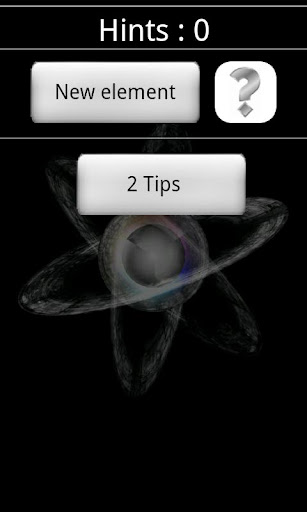
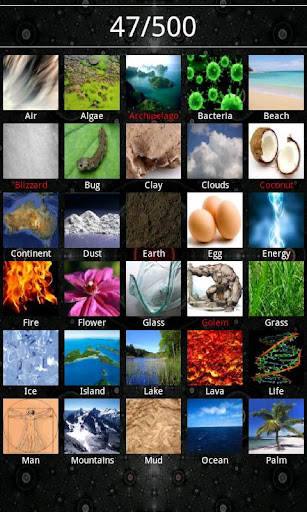
Connect elements to discover new one. To discovery awaits 500 of them. Start from fire, water, earth and air to get a computer, a knight, money, the universe and much more. For your convenience we added two methods for adding elements: a scrollable bar and a full list, tips that you can use when you no longer have ideas. This is the final version reached thanks to the experience with the free version. It contains many improvements and fixes relative to the initial version of the game.
Only the full version:
- No ads
- The option "Do not make the discovered elements"
- Possibility to choose the size of the item
- Sounds
- Additional 3 wallpapers in the game
- Vibrations
Other features of the game (available in the free version):
- 500 items to discover
- Scrolling bar containing only those elements that can still be used
- Realistic images of elements
- 3 wallpapers available in the game
- Buttons "Reset" and "Clear" in the options menu
- List of all found
- A tip at 20 discovered elements
- 8 available languages
Extreme Flight HD Premium v1.0
Requirements: Android 2.2 and up
Overview: Incredible height, breathtaking loops and super planes!
Fly like a professional pilot! Be accurate and extremely attentive to fly through all the dangerous levels! Be prepared to spend some great long time to pass the game and prove that you can fly a plane better than even professional pilots.
The game requires concentration, wit and persistence.
Features:
-Personalize your planes: upgrade and paint them as you like
- Don’t like your plane? Change it, sell it and buy a new one
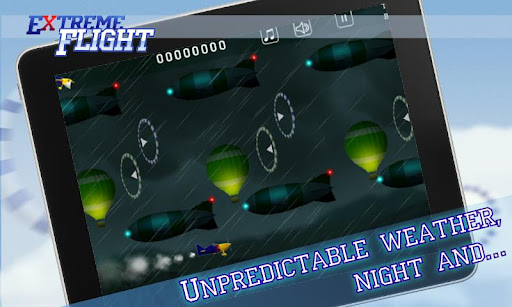
-Weather can change any time, if you plane is caught in the rain you get a bonus for this inconvenience
- Practice night-flying, you will like it for sure
- Fly faster with Turbo regime, watch the color of fume.
Discover many more great and unexpected features and surprises in Extreme Flight!
So you are a pilot and you have to pass different levels of different difficulty with tricks and without them. In the game you may buy planes, sell and upgrade them. Planes differ by their characteristics: speed, mobility, nitro. You have to choose them according the level that you have to pass.
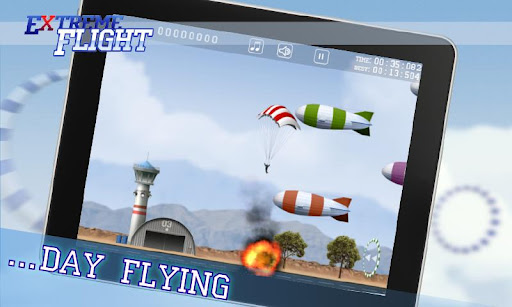
On levels you have to fly through the rings that are situated in different parts of the screen, in addition, a player has to evade numerous balloons and airships, trees and buildings all this for a short time if you want to get 3 stars for a level. A player should keep in mind that to pass to a new zone he or she should get 20 stars overall. Only when you pass all the levels of a zone you will be able to open a new one in the premium version and if you have the free version just get the premium one! Use “Turbo” regime to make your plane to fly faster.
Extreme Flight is a great challenge with unbelievable design and crazy game play!
CoPilot Live Premium Europe v9.1.0.307
Requirements: 1.6+
Overview: CoPilot Live Premium is the essential voice-guided sat nav app to get you where you need to go, by the way that suits you best.
Detailed street maps of Western and Eastern Europe are stored on-board your Android phone or tablet (download your maps via WiFi after installation) so you don’t need to rely on your mobile connection for navigation.
★★★★★ "The best paid-for nav app" – Stuff
★★★★★ "A great smartphone satnav app" - The Register
★★★★★ "It blew all its rivals out of the water" - Smartphone Essentials
★ FASTER, SMARTER, EASIER NAVIGATION
CoPilot Live Premium equips you with a unique range of advanced features to help you enjoy a better journey.
✔ Full turn-by-turn guidance and clear directions with the latest text-to-speech voice technology
✔ Lane indicator arrows and realistic ClearTurn™ view make complex junctions simple
✔ Unique interactive route editing: tap and drag to change your route or destination
✔ Powerful pre-trip planning and route calculator give you a choice of three routes to take
★ HIGHEST QUALITY MAPS
Premium quality NAVTEQ maps as used by the best in-dash systems are stored on your phone, so you can even navigate without a mobile signal.
✔ Detailed street maps of Western and Eastern Europe are stored on-board your phone or tablet. Simply download your maps via WiFi after installation
✔ Thousands of useful Points of Interest (POIs) that you can dial from in-app
★ THE SAFEST SAT NAV ON THE ROAD
Quite simply, no other app offers this level of safety.
✔ Unique directions-only driver safety mode only displays a map close to turns for minimal distraction
✔ Automatic day-night mode switching reduces screen glare
✔ Speed limit warnings
✔ Safety camera alerts as standard with FREE updates
★ AUTOMATICALLY AVOID DELAYS WITH ACTIVETRAFFIC™
ActiveTraffic™ scans your route for traffic hold-ups and automatically provides a new route if it saves you time.
✔ Provides the fastest route based on real time traffic speeds
✔ Automatically calculates a quicker route if a significant delay is detected
✔ 12 months traffic service included as standard
★ LOCAL KNOWLEDGE, EVERYWHERE
CoPilot Live provides instant local knowledge to guide you to any destination in car or on foot.
✔ Just tap on the map, POI, street, restaurant, station, car park etc. for instant directions
✔ Integrated Wikipedia and Bing™ Local Search give you a built-in guide for everywhere you go
✔ Walking Mode
★ PLUS ALL THE FEATURES YOU EXPECT FROM A PREMIUM SAT NAV SYSTEM
3D and 2D map views – trip status display - instant detour – in-app music controls - favourite and recent destinations – personal routing options – avoid toll roads – Twitter and Facebook status updates – local weather information - and much more!
THE FOLLOWING MAP REGIONS ARE INCLUDED: AL, AD, AT, BY, BE, BA, BG, HR, CZ, DK, EE, FI, FR, DE, GI, GR, HU, IE, IT, LV, LI, LT, LU, MK, MD, MC, ME, NL, NO, PL, PT, RO, RU, SM, RS, SK, SI, ES, SE, CH, UA, UK, VA
Tutorial:
1. Install CoPilot Live Premium Europe [Don't open!]
2. Install LuckyPatcher [Needs root access to work!]
3. Open LuckyPatcher, apply auto patch remove license
4. Open CoPilot after LuckyPatcher does its job!
5. Make CoPilot user account!
6. Download maps!
7. Have Fun
RunKeeper v2.11.1.0
Requirements: Android v2.1+
Overview: RunKeeper uses GPS to track your fitness activities, including distance, time, pace, calories, heart rate, and path traveled on a map.
RunKeeper uses GPS to track your fitness activities, including distance, time, pace, calories, heart rate, and path traveled on a map.
RunKeeper also provides audio cues, customized interval workouts, manual entry for treadmill and other cardio equipment, integrated RunKeeper FitnessClasses and no advertising.
For more information on heart rate monitors that work with RunKeeper see http://runkeeper.com/heart-rate-monitoring
Recent changes:
* Fixed crash when starting an activity
* Fixed crash when viewing fitness classes
Latest version: 2.11.1.0 (for Android version 2.1 and higher, supports App2SD)
JDownloaderRcPro v1.2.9
Requirements: Android 1.6 and up
Overview: Full control on JDlownloader from your android phone.
JDownloader Remote Client Pro.
Full control on JDlownloader from your android phone:
- Current downloads.
- Links with full text parsing.
- Stop/Start/Restart/Shutdown.
- Set speed limit / max downloads.
- Premium's accounts.
- Integration with navigator for sharing links.
- Compatibility with nightly build.
- Rss reader & link checker.
Pro Version is free Ads and got priority for updates.
Thanks for supporting us.
Before using :
- Activate JDownloader remote control plug-in.
- Be sure your ip is public and port open.
What's in this version:
1.2.9 :
- Update ProgressBar color (text unreadable on some devices)
GO Keyboard v1.6.1 Ad-Free
Requirements: Android 1.6+
Overview: GO Keyboard is the best and the most popular keyboard on the android market
[break]
GO Keyboard can make your typing faster and smarter. It is a essential choice for android mobile.
●Main features::
★Predict in multiple languages and keyboard layouts
★Has accurate dictionaries
★Import contacts
★Support fantasy text output
★Support Emoji
★Support a variety of themes
★Smart to set skin and back ground
★Auto-memory and correct as you type
★Multi-point touch keyboard
★Support the slide input
●Enable GO Keyboard
First step: after download GO Keyboard, go into the “Menu”, click the [Enable GO Keyboard] to enable.
Second step: long press any input box until popup a menu, choose “Input method”, then choose “GO Keyboard”
●Gesture support:
Swipe left or right to switch layouts
Swipe down to close the keyboard
●Support languages:
☆Pinyin, wubi, stoke, handwriting and voice input
☆cangjie,zhuyin,simple cangjie
☆Ukrainian -UG-українська мова
☆Bulgarian-BG-Български език
☆German-DE- Deutsch
☆Russian-RU-Русский язык
☆French-FR- française
☆Czech-CS- čeština
☆Croatian-HR- Hrvatski
☆Romanian-RO- română
☆Portuguese-PT-português
☆Turkish-TR- Türkçe
☆Arabic-AR-اللغة العربية
☆Slovak-SK- Slovenčina
☆Polish-PL- język polski
☆Norwegian-NO- norsk
☆Hungarian-HU- Magyar
☆Greek-EL- Ἑλληνική
☆Finnish-FT- Suomi
☆Dutch-NL- Nederlands
☆Danish-DA- dansk
☆Swedish-SV- svenska
☆Spanish-ES- Español
☆Hebrew-HE- Ivrit
☆Italian-IT- Italiano
☆Japanese-JA-日本語
☆Farsi-FA-فارسی
☆Urdu-UR-اردو
☆Lithuanian-LT-Lietuvių
☆Catalan-CA-Català
☆Korean- KO-조선어
☆Indonesian-ID- Bahasa Indonesia
☆Malay- MS- Bahasa Melayu
☆Slovenian- SL-slovenščina
☆Thai- TH -ไทย
More cool ! More free!
What's in this version:
(Optimized) You can resend the last audio which you haven't sent successfully.
(Optimized) Speed up loading speed when unfold the candidate bar.
(Optimized) Show you the hot themes in GO Market. You can select your favourite themes easily.
(Fix) Fix the error that it will display phone mode when use pad mode.
(Fix) Fix some collapse bugs.
★ GO Keyboard will update every week. Looking forward to your feedback and suggestions. We will quickly develop the perfect GO Keyboard!
iReader (offline) v1.0.9.5
Requirements: Android v2.1+
Overview: iReader is a offline ebook reading application on Android platform. It supports TXT, CHM, PDB(EReader, Mobipocket), UMD(popular Chinese ebook format), HTML and Image files.
iReader is a offline ebook reading application on Android platform. It supports TXT, CHM, PDB(EReader, Mobipocket), UMD(popular Chinese ebook format), HTML and Image files.
Recent changes:
1.Won't support Android 1.5 since the Typeface.createFromFile API
2.Real book page flip
3.Support font file(TTF, TTC)
4.Support auto-scrolling in cover mode. The new line content will cover the old ones instead of scrolling screen.
5.Support separately set screen brightness for Day theme and Night theme
6.Modify default settings for gesture
7.Support customize page turning actions for Volume Up/Down key
8.Add "Restore to default" menu for gesture settings
StatusBar+ - Custom Status Bar vOrchid [update]
Requirements: Android 2.1 and up
Overview: A custom status bar that goes where you go, done WP7 style!
StatusBar+ is the FIRST custom status/ notification bar for Android, no root or custom ROM required!
It works in any orientation and appears consistently for ANY and ALL applications. In full screen applications it automatically hides and in some applications like ZPlayer it becomes transparent for seamless integration.
In order for StatusBar+ to handle third-party notifications it MUST be enabled in System Settings > Accessibility and NOT in the app itself1
StatusBar+ is more than just a custom status bar. It comes bundled with its own MIUI-style battery bar, the ability to change any and all indicators to any color your heart desires, features for users with AMOLED screens to avoid pixel burn-in, popup notifications, and much more.
What are people saying?
"Best app for Froyo!! Works perfect on moto defy am so so so happy I no longer have grey bar. And all notifications still Work. Wifi and signal icons are active. Very stable. Unlike super status bar. Worth every cent." - NiC
"Beautiful! Felt I had to update my review to reflect the fact that I have experienced none of the instability... Rock solid." - Skinny
"Good stuff Nice app, nice dev." - Zik
Currently supported system indicators include Signal strength (GSM, EVDO, and CDMA. 4G HSPA+, WiMax, and LTE experimental), Data network type (ie. EDGE, 3G, 4G, etc.), WiFi signal strength & WiFi Access Point, Bluetooth, Language, GPS, Battery percentage & icon, Time (automatic 24-hour detection based on the system preference), and more coming soon.
Need help understanding the icons? http://www.microsoft.com/windowsphon...hone-mean.aspx
MIUI Users:
StatusBar+ CANNOT support "Tap to drop," on your ROM, so please disable it. There is nothing that can be done about this, sorry.
Notice:
StatusBar+ is not your "normal" application, and in an attempt to support over 1,300 devices you may find bugs! While this application has been tested rather extensively on a number of devices (rooted and not), there is no guarantee that it will work perfectly on your device. If you run into any issues please send send us an email (tbarrasso@sevenplusandroid.org) stating your device's make/ model, firmware, ROM (if applicable), and a description of the issue. We CANNOT respond to comments on Google Play.
Custom lock screens:
WidgetLocker, WP7Lock, MagicLocker, and Ripple Lock are among the many supported custom lock screens. If you wish to have another lock screen added please let us know and we will get in touch with the developers, but we make no guarantee.
Performance:
StatusBar+ is the best custom status bar, battery bar, and popup notification app because by combing all of these features into one app battery drain along with CPU & memory usage is reduced.
Signal Strength:
Signal strength calculation may not work properly on your device. The Samsung Galaxy S II line and Sony Ericsson Arc running Gingerbread 2.3.X, for example, have a documented issue (see http://code.google.com/p/android/issues/detail?id=16862). If you run into problems with signal strength please try our other application, Signal Strength Detector (see http://market.android.com/details?id...signaldetector), available for free on the Android Market and submit your results. This will help us further improve calculation.
Manga Watcher v0.5.42
Requirements: Android OS 1.5 +
Overview: The Best Manga Reader for Android
[break]
Read your favorite manga on your phone. You can read online or download and read later. You can open your manga from sdcard (png, jpg, zip). Share in Facebook and Twitter. Read manga from http://www.MangaFox.com, http://www.mangareader.net and etc. Read the manga in English, French, Russian, Spanish, German and Arabic.
Have multitouch and one finger zoom!
What's in this version:
- added new manga site MangaPanda.com;
- added section popular manga series. Most readed manga series. Statistics calculated by users who set on option "Use cloud service";
- reindexed and fix minor problem with all sites of manga;
- fixed problem with ICS app widgets;
- bug fix;
Executive Assistant + v1.9.1
Requirements: Android OS 2.1 +
Overview: Your info. Your way. Your Executive Assistant.
[break]
Executive Assistant (EA) provides an all-in-one interface for quickly reviewing your:
+ Email: any combination of GMail, Google Apps, or POP/IMAP accounts. Exchange too if you use a supported email client. See below for a list of supported clients.
+ Text messages: both native and Google Voice, including pop-up and reply options
+ Missed calls: return calls directly from the app
+ Calendar events (including Exchange & Facebook if supported by your phone)
+ Tasks: Astrid, Google Tasks Organizer (lite & pro), Got To Do, GTasks by Dato, ToDo Task Manager (lite or pro), or TouchDown
+ Google Reader
+ Twitter timeline
+ Facebook news
Use in any of 3 modes:
+ Lock Screen: Use as a lock screen replacement to preview all of your stuff without going thru the hassle of unlocking the phone. You choose which info is safe to show on the lock screen.
+ Welcome Screen: Instant-on immediately after unlocking the phone. Don't pattern lock your phone? Give this mode a try for instant access to all your stuff.
+ Home Screen Widget: 'always on' interface wherever you want it. Use a full-widget that includes a preview area, or a single-row, icons-only widget that simply shows the app icons with counts. Many sizes to choose from. Optionally use a Sense-like or Glass theme for the full-widget.
Full-widgets are scrollable for Android 3.0 & later, and for any launcher that supports version 2 of the scrollable widgets extension, such as: ADW, Launcher+, Go and Zeam (but not Launcher Pro since it uses version 1).
In every mode: launch apps, return missed calls, dial voicemail (or optionally choose to launch Google Voice, Visual Voicemail or any other voicemail app).
Reply to SMS messages directly from the Welcome Screen or Lock Screen, without unlocking (if you enable this option).
Host your favorite widgets & shortcuts on lock or welcome screen.
The background image will be the same as your home screen wallpaper (including live wallpapers). Customize the color and transparency of the text displays in all modes. Optionally select custom icons for the tabs.
Supported POP/IMAP clients: Enhanced Email, K9 and Kaiten Mail
You don’t need to use a supported client to access POP/IMAP accounts in EA, however, if you do, then EA can access your messages directly from the on-device database, without having to fetch them over your data connection. Also, tapping a message in EA will open it in the corresponding app.
If you don’t want to use one of the supported email clients, then you can use EA’s free POP/IMAP add-on to fetch your messages from your mail server (EA will install it for you if you decide to use it).
Supported Exchange clients: TouchDown by NitroDesk and Enhanced Email by Quantum Solutions
If you want to preview Exchange email in EA, your best options are to use either TouchDown or Enhanced Email. TouchDown is a dedicated Exchange app that gives you access to your corporate email, calendar and tasks. Enhanced Email is a general email client that supports Exchange accounts in addition to POP/IMAP accounts. Some people are also able to access their Exchange accounts using K9 or Kaiten. Some Exchange servers also allow access via IMAP.
Note that we would also love to support the stock EMail & GMail apps but unfortunately, Google does not currently allow 3rd party apps to access those databases.
GMAIL USERS:
Even without direct access to the GMail app’s data, you still have two good options for accessing your gmail & Google Apps accounts in EA:
1. enable IMAP for your account (from GMail on the web, see Settings/Mail settings/Forwarding & POP/IMAP), then access your account using one of the supported POP/IMAP clients, or the POP/IMAP add-on.
or,
2. select the "Get from Google" option when setting up your account in EA and EA will fetch your gmail preview from Google’s servers.
What's in this version:
v1.9.1: Improved support for scrollable widgets in ICS + bug fix
v1.9.0: Support for Dutch + bug fix
v1.8.9: For Android 3 & up: the Summary tab on the EA widget is now scrollable, and EA widgets are resizable.
v1.8.8: Support for DGT GTD & ToDo List. Support for Spanish. Fixes a minor formatting bug in the German version.
v1.8.7: Improved email notifications & support for German










![StatusBar+ - Custom Status Bar vOrchid [update] APK](https://lh4.ggpht.com/fOMNNwB4OGHDpRi3NK6bhfUIbI9agbTZx5vp3bneNPdcmsWPZSCU00QAO6BSmcR-n-o=w705 "StatusBar+ - Custom Status Bar vOrchid [update] APK")
![StatusBar+ - Custom Status Bar vOrchid [update] APK](https://lh6.ggpht.com/rIPwTtMtFu7625fsiG0Bam3d6go8fUyNqLGV-gFIJLCt8NyZOfOoI-1p-wHM9dxcPRsK "StatusBar+ - Custom Status Bar vOrchid [update] APK")
![StatusBar+ - Custom Status Bar vOrchid [update] APK](https://lh3.ggpht.com/arJ7x6XP4v_qvvTYv4-oK7rzaGdGp7B0sM1EnlmvlfuCWPqMcm5eYVHvBA2RpRziEkA "StatusBar+ - Custom Status Bar vOrchid [update] APK")
![StatusBar+ - Custom Status Bar vOrchid [update] APK](https://lh5.ggpht.com/NHXh2BSNM4POhO0gv7PmBvydWzUv-lLN0iYLUeIBA7VHFfUVlvk6DzR5HuJ808JJDA "StatusBar+ - Custom Status Bar vOrchid [update] APK")

